GFI MailEssentials

The #1 Anti-spam Solution Used by 80,000+ Customers, Worldwide

Overview

GFI MailEssentials Box ShotThe most effective way to beat spammers at their game is to use the #1 anti-spam solution, GFI MailEssentials™. We have over 80,000 customers worldwide, and have won over 60 awards.

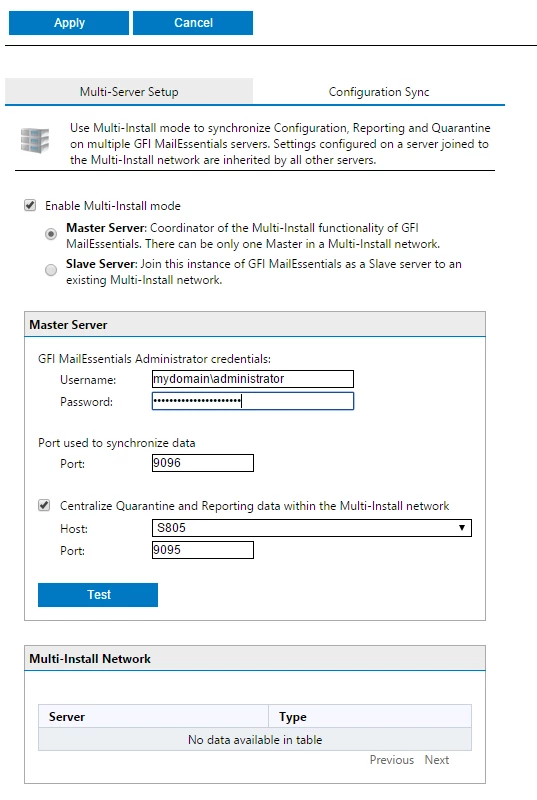
GFI MailEssentials features not one, but two anti-spam engines to give administrators an ultra high spam capture rate out-of-the-box with minimal configuration. Not only does it have one of the highest spam capture rates in the industry, over 99%, but it is also the market leader for reducing false positives and ships at the best price available.

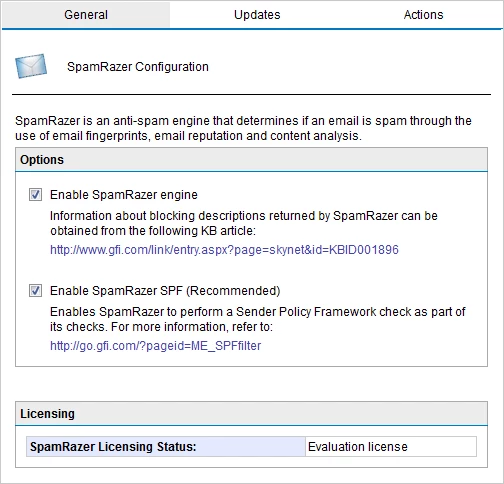
GFI MailEssentials is as agile as spammers are deviant, and has been designed for ease-of-use. Coupled with SpamRazer™, our additional anti-spam engine that provides a second layer of protection and needs no tweaking to be fully effective, and various other anti-spam technologies, it also offers an improved spam detection rate during SMTP transmission through greylisting and directory harvesting attack protection.

Not only will administrators benefit from out-of-the-box filtering, but they will also gain protection from each new attack without the need to tweak GFI MailEssentials. IP reputation filtering, Bayesian filtering and other advanced anti-spam technologies are also included, ensuring the safe delivery of important emails.

We detect and block phishing emails, and add email management tools to your mail server, including: disclaimers, mail monitoring, Internet mail reporting, list server, server-based auto replies and POP3 downloading.

Why Choose GFI MailEssentials as Your Anti-spam Filter?

  • #1 server anti-spam software at an unbeatable price
  • Over 80,000 installations and over 60 awards
  • Highest spam detection rate (over 99%) by its two anti-spam engines
  • Ultra low rate of false positives
  • Support for the industry leading messaging platforms including Microsoft Exchange 2003, 2007, 2010 and Lotus Domino

Pricing

New Product with 1 year SMA (10-24 mailboxes) from £ 16.80 per mailbox ex VAT and shipping if applicable.

Screenshots


Features

Looking for Email Anti-spam and Email Security?

GFI MailDefense Suite, which includes GFI MailEssentials and GFI MailSecurity, gives you the best software at the lowest price on the market. Try the GFI MailDefense Suite today!

Or why not look at GFI MAX MailEdge, GFI's hosted frontline email defense solution, designed to be used as a hybrid solution in combination with existing on-premise anti-spam software or hardware? Ideal for existing GFI MailEssentials users, GFI MAX MailEdge blocks the most obvious spam before those messages reach a customer’s network – reducing bandwidth usage, load on the mail server, and dramatically reducing the risk of a denial of service attack. With the service's email continuity capabilities, customers can continue to access and respond to email even when their own mail server is offline.

Freeware Version Available

GFI MailEssentials enables you to add disclaimers to the top or bottom of an email; text and HTML formats are supported. You can include fields and variables to personalise the disclaimer. You can even create multiple disclaimers and associate them with a user, group or domain. This functionality is available in the FREEWARE version of GFI MailEssentials. When your trial period has expired (after 10- or 30-days), you can continue to add disclaimers to your email.

SpamRazer™: An Additional Anti-spam Engine
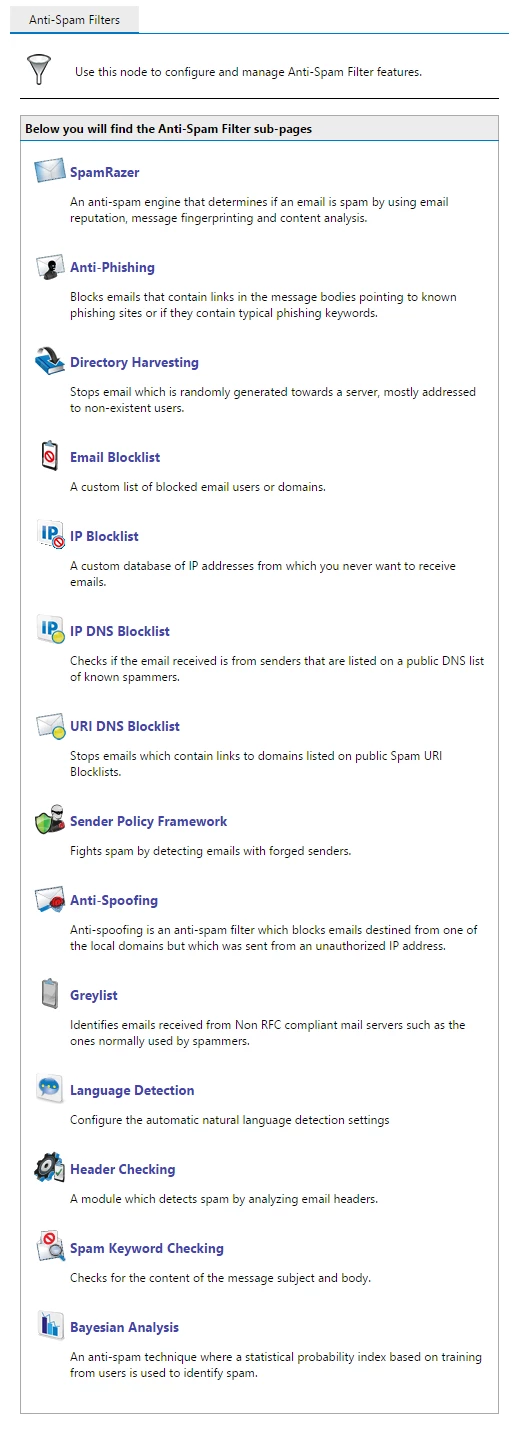
SpamRazer provides a second layer of protection. It has been designed for ease-of-use and, due to frequent updates, SpamRazer needs no tweaking to be fully effective in filtering the latest spam attacks. Not only will administrators benefit from out-of-the-box filtering but they will also gain protection from each new attack without the need to tweak GFI MailEssentials. With SpamRazer filtering, greylisting, IP reputation filtering, Bayesian filtering and other advanced anti-spam technologies, our spam capture rate is well over 99%. GFI MailEssentials also has a market-leading low rate of false positives ensuring the safe delivery of important emails.

Greylisting
Greylisting is an anti-spam technique used to identify spam emails originating from non-RFC compliant mail servers (which are often utilised by spammers). For each new SMTP transmission, GFI MailEssentials records the sender, recipient and sending mail server’s IP address (aka triplet) and rejects any emails with a temporary failure message. Compliant email servers try and resend the message after a few minutes – this causes their triplet to be confirmed and connections with the same triplet are no longer rejected. Non-compliant mail servers do not try to resend the message.

Spam Quarantining
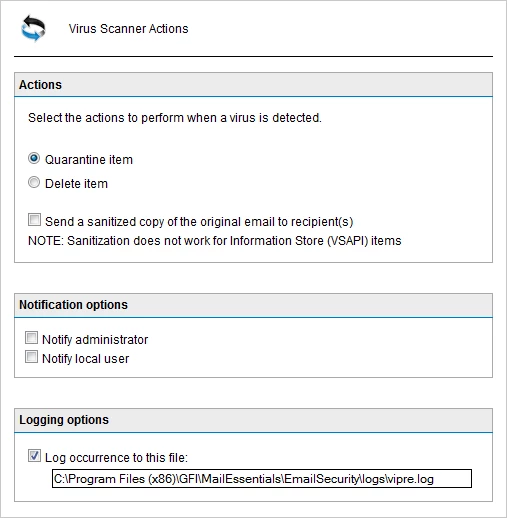
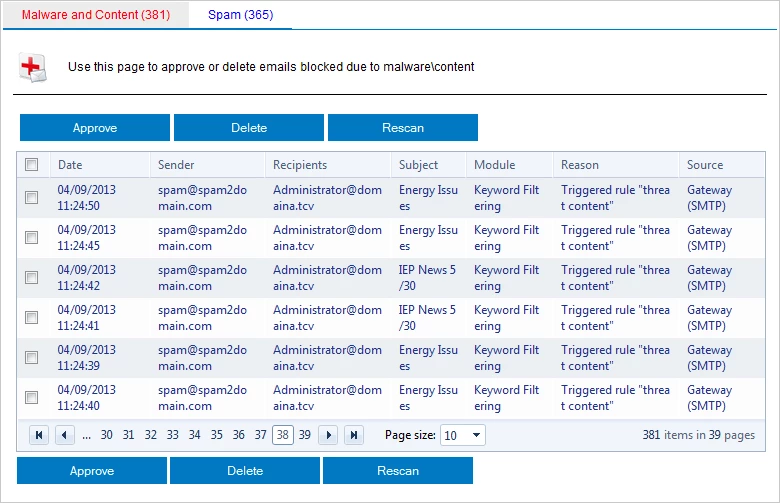
The administrator can select to quarantine spam emails. Spam emails are stored in a database and are automatically deleted after a pre-defined period of time.  The administrator can also select to send a spam digest with information on quarantined emails. From the spam digest, users can review their spam emails, and approve them as required. The administrator is allowed full access to the quarantined emails.

Precise Real-time Dashboard
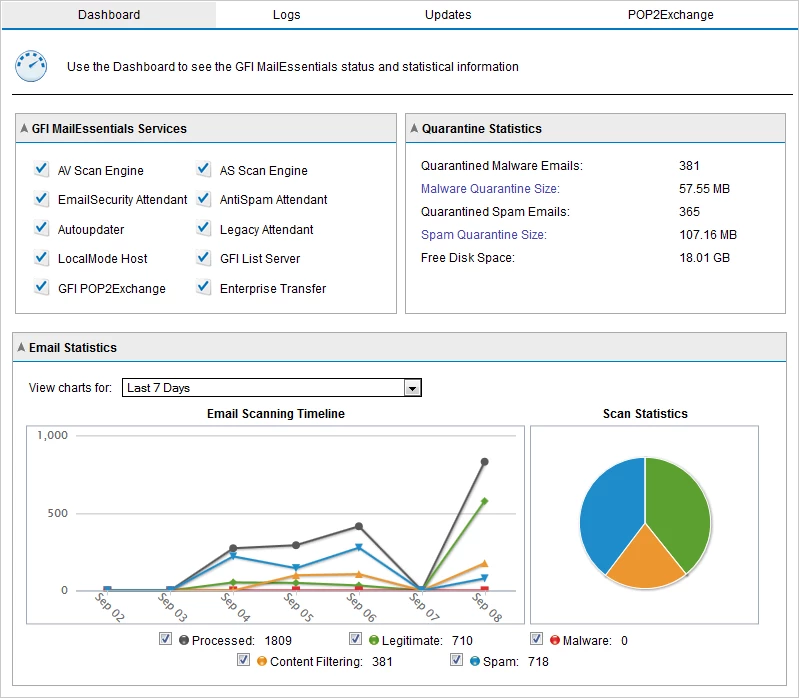
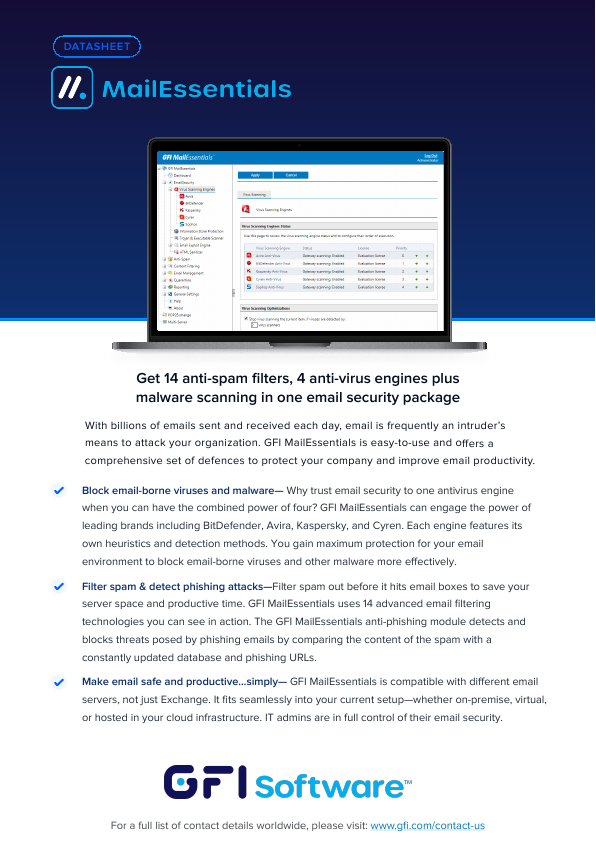
GFI MailEssentials also ships with a precise, real-time dashboard that gives administrators a graphic view of the software’s status as well as the server’s email flow. Components shown on the dashboard are: the status of key services provided by GFI MailEssentials; statistics of email flow; blocked spam; and also POP2Exchange logging and results can be filtered by sender, recipient, subject, etc.

Auto-log rotation
Administrators can select to log occurrences (such as blocked or whitelisted mail) and configure to start a new log file after a pre-defined period of time or at a specific sise.

Spam Digest
Administrators can now send a daily report to the users that shows how many emails he or she received and how many emails, identified as spam, were filtered. A snapshot of email traffic will show the end-user how much spam email was successfully captured. The report gives a full list of those emails identified and filtered.

Eliminate Hard-to-Catch Spam
With spammers controlling tens of thousands of zombie machines, these large botnet armies have become one of the leading sources of spam. The Botnet/Zombie check, in GFI MailEssentials, eliminates hard to catch attachment spam such as image spam, PDF spam, Excel and ZIP spam. The attachment spam check filters this attachment spam quickly, efficiently and with a very low rate of false-positives. GFI MailEssentials uses two anti-spam filter engines and a variety of technologies such as greylisting and IP reputation filtering.

Support for Unicode
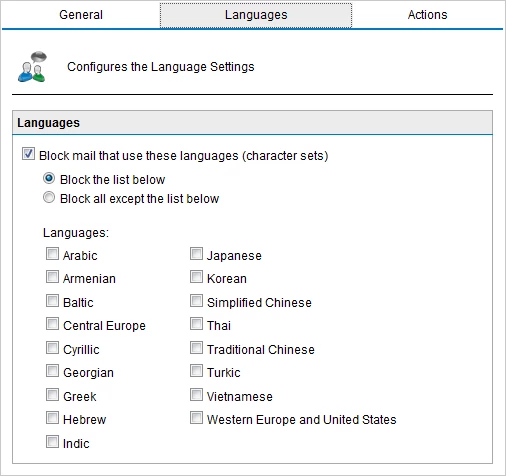
GFI MailEssentials also supports Unicode. This means that GFI MailEssentials supports the industry standard for universal character encoding. This update allows GFI MailEssentials to process emails in any language, and ensures that all characters are rendered properly.

Localised into German, Spanish, Italian and Russian
GFI MailEssentials is available in Russian, Spanish, Italian and German. Localisation gives users the ability to install and run GFI MailEssentials in their native language.

Server-based Anti-spam and Anti-phishing
GFI MailEssentials is server-based and installs on the mail server or at the Gateway, eliminating the deployment and administrative hassle of desktop-based anti-spam and anti-phishing products. A server-side solution will prevent your server message stores from filling up with spam and eliminate the need to train your users on the creation and update of anti-spam rules.

Bayesian filtering: an advanced method to detect spam
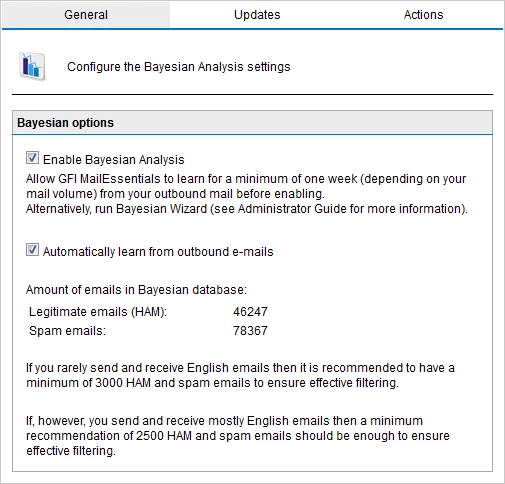
Bayesian filtering is widely acknowledged by leading experts and publications to be the best way to catch spam. A Bayesian filter uses a mathematical approach based on known spam and ham. This gives it a tremendous advantage over other spam solutions that just check for keywords or rely on downloading signatures of known spam. GFI’s Bayesian filter uses an advanced mathematical formula and a dataset which is custom-made for your installation: Spam data is continuously updated by GFI and is automatically downloaded by GFI MailEssentials, whereas the ham data is automatically collected from your own outbound mail. This means that the Bayesian filter is constantly learning new spam tricks; spammers cannot circumvent the dataset used. This results in a 99+% spam detection rate, after the required automated two-week learning period. In short, Bayesian filtering has the following advantages:

  • Looks at the whole spam message, not just keywords or known spam signatures
  • Learns from your outbound email (ham) and therefore greatly reduces false positives
  • Adapts itself over time by learning about new spam and new valid emails
  • Dataset is unique to your company, making it impossible to bypass
  • Multilingual and international

Sort Spam to Users' Junk Mail Folders
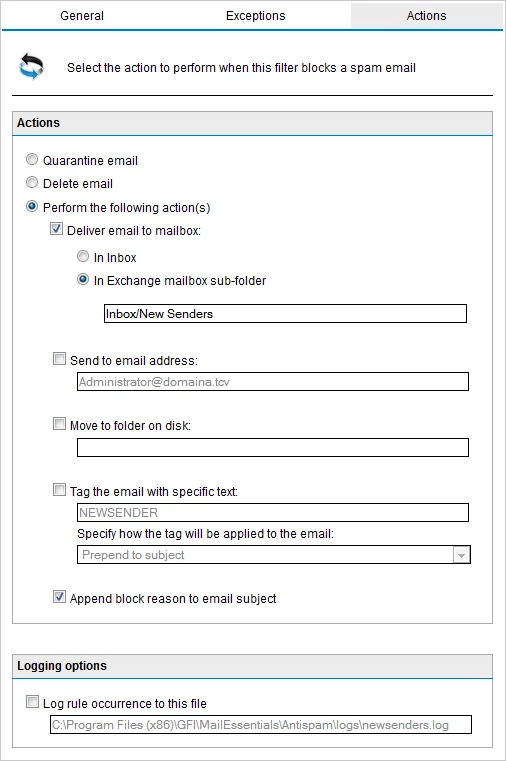
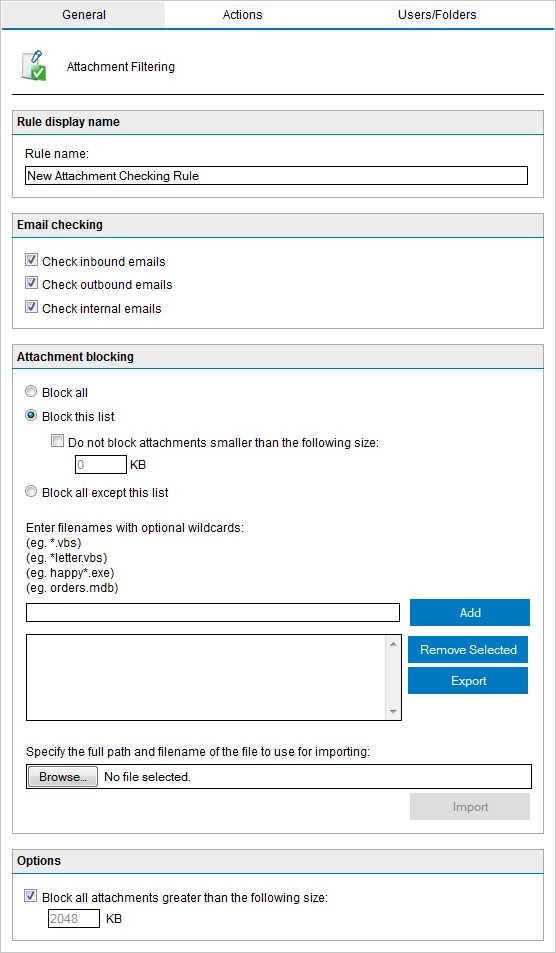
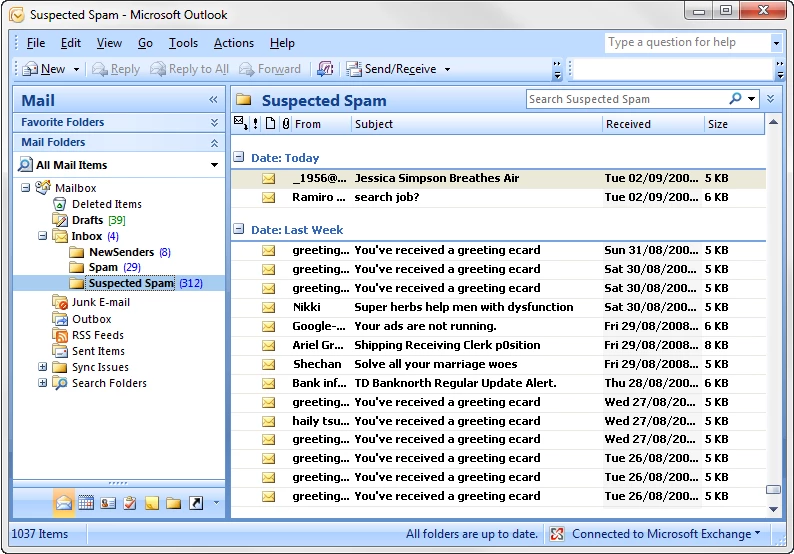
We give you the flexibility to choose what to do with spam. You can delete it, move it to a folder, forward the spam mail to a public email address or folder, quarantine it or send it to individual customisable folders (for example, a junk mail folder) in the end-users' inboxes. You can also select multiple actions as required. This allows you to sort spam and to easily review mail that has been flagged as spam.

List Server for Newsletter Lists and Discussion Lists
A list server is the best method for distributing company newsletters, since it automates the process of allowing users to subscribe and unsubscribe (required by anti-spam regulations). However, until now, list servers have been expensive and difficult to administer and they did not integrate with Exchange Server. GFI MailEssentials integrates with Exchange and can use Microsoft Access or Microsoft SQL Server as the backend. Both newsletter lists and discussion lists are supported.

Easy Tuning of the Bayesian Engine via Public Folders
Administrators can easily tune the Bayesian engine by dragging and dropping spam or ham to the appropriate public folder. GFI MailEssentials learns from the spam and ham that it picks up from these folders and further improves its spam detection rate. Administrators can control access to this feature through the use of Public Folder security.

Allow Users to Whitelist or Blocklist via Public Folders
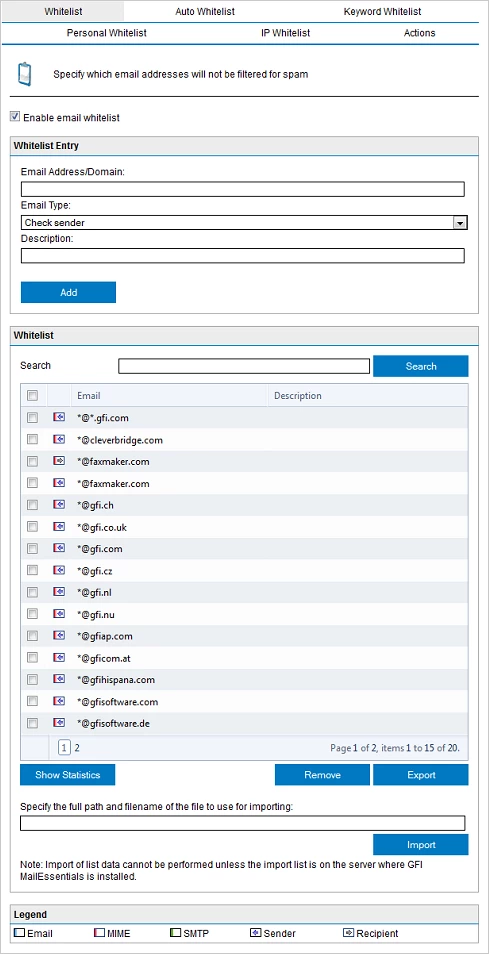
GFI MailEssentials allows users to Whitelist or Blocklist senders simply by dragging and dropping the appropriate mail to a public folder. This gives users more control and reduces administration. Administrators can control access to this feature through the use of Public Folder security.

Email Header Analysis and Keyword Checking
GFI MailEssentials intelligently analyzes the email headers and disclaimers and identifies spam based on message field information. It detects forged headers, encoded IPs, spam mutation, spam sent from invalid domains, and more. It also enables you to configure keywords to check for spam using keyword checking.

Third Party DNS Blocklists (DNSBL) Checking
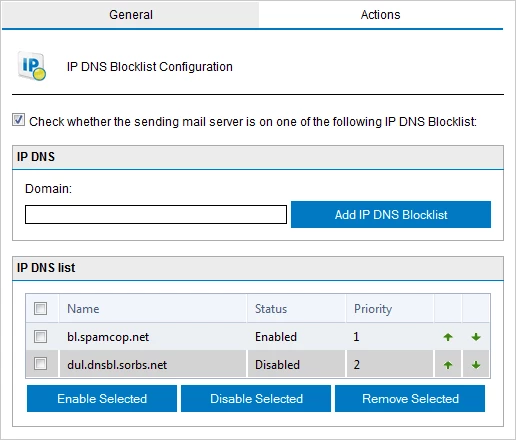
GFI MailEssentials supports DNS blocklists (real time blocklists), which are databases of known spammers. If the sending mail server is on one of those lists, it marks the email as spam. GFI MailEssentials supports popular third party blocklists, such as SpamHaus and Spamcop, and also enables administrators to configure custom RBL servers.

Support for Multiple Third Party URI DNS Blocklists
GFI MailEssentials checks links in emails against URI DNS Blocklists. Administrators can configure multiple URI DNSBLs, add their own and also define priorities for which server should be checked first.

Automatic Whitelist Management Reduces False Positives
Whitelists enable you to ensure that email from particular senders or domains are never flagged as spam, permitting more stringent anti-spam rules. GFI MailEssentials includes a patent-pending automatic Whitelist management tool, which adds outgoing mail recipients to your Whitelist. This greatly reduces false positives without any need for additional administration. Whitelists can also be built based on domain names, email addresses and keywords.

Active DirectoryDisclaimers
The disclaimers can be automatically tailored for the sender of the message by including information about the sender. Administrators can select to include information about the sender from Active Directory.

Instant View of Emails from New Senders
The New Senders feature provides users with an instant view of emails sent from people with whom they have not had previous contact, thereby helping users to better organise emails in their email client. If GFI MailEssentials does not identify an email as spam and yet it is not on the Whitelist, then the New Senders module can move that email to a user's subfolder, for example, Inbox – New Senders.

Eliminates Directory Harvesting
Spammers often try to guess recipient addresses by generating multiple random email addresses at a domain; they then send their spam mail to all those addresses. GFI MailEssentials checks the validity of ALL the email addresses included in the mail sent, either via a query to Active Directory or through support for LDAP, and if they are not all valid, marks the mail as spam. Directory Harvesting can optionally be done at the initial stage of the SMTP transmission, thus eliminating any traffic that is generated by this type of spam.

Reports on Spam Filtering and Email Usage
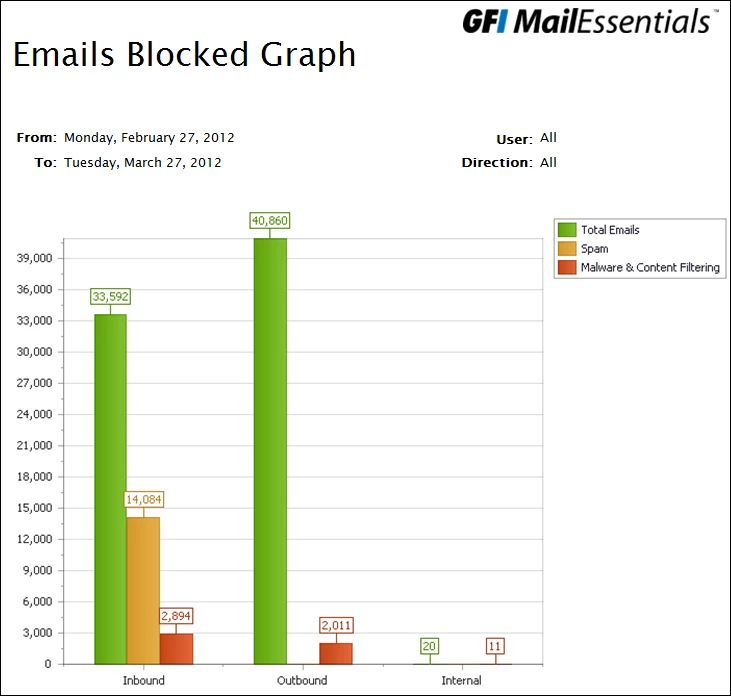
The database-driven reporting engine allows you to create advanced reports on your inbound and outbound email. You can report on the amount of spam filtered and on rules which caught most spam. You can also generate reports on user, domain and mail server usage.

Support for SPF – the Sender Policy Framework
As most of today’s spammers spoof email addresses, it is important to be able to check whether an email is genuine or if it has been sent from a forged sending address. This can be done via the Sender Policy Framework (SPF), which allows users to test whether a particular email originates from its claimed source. We offer one of the first commercial anti-spam solutions to support this framework. Our SPF module automatically checks whether the mail from a particular company was actually sent by its registered mail servers.

For more on SPF, visit http://www.openspf.org.

Set Priorities for Each Anti-spam Module
You can configure which method of capturing spam is to be given priority and create your own hierarchical list. For example, the administrator can select for our whitelisting anti-spam feature to be applied first to all incoming mail, then Bayesian scanning, and so on.

Company-wide Disclaimer, Header and Footer text
GFI MailEssentials enables you to add disclaimers to the top or bottom of an email. Text and HTML formats are supported. You can include fields and variables to personalise the disclaimer. You can even create multiple disclaimers and associate them with a user, group or domain.

Email Monitoring
The email monitoring feature enables you to keep a central store of the email communications for a particular person or department. By configuring email to be copied to an email address, all email can be stored in an Exchange or Outlook store, making searching much easier.

Email Archiving to an SQL Database
GFI MailEssentials can archive all inbound and outbound mail to a Microsoft SQL Server database. You can search for a particular email or an entire email thread via the included web interface.

For a complete email archiving solution, please check out GFI MailArchiver.

Seamless integration with Exchange Server, Lotus Domino and other SMTP servers
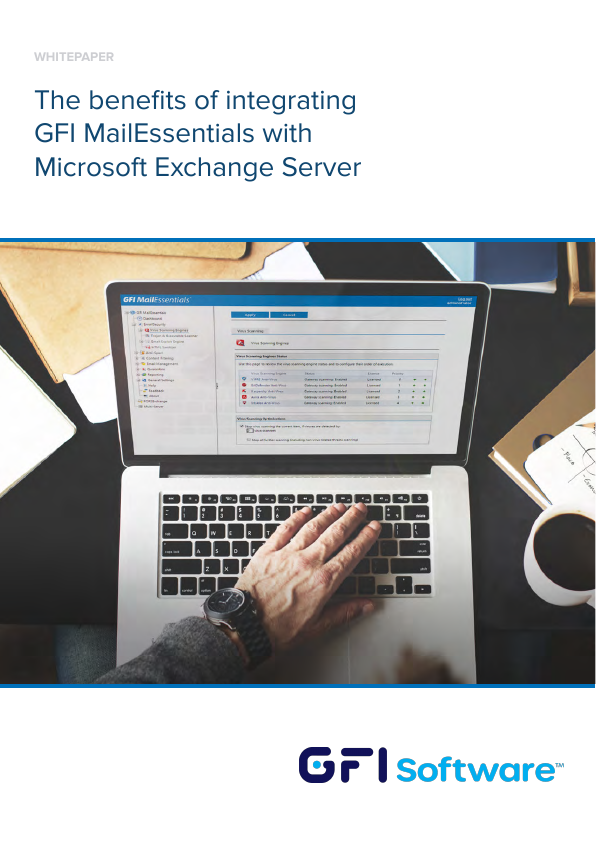
GFI MailEssentials integrates seamlessly with Microsoft Exchange 2003/2007/2010 - it installs on the Exchange SMTP service and does not require gateway configuration. Via the SMTP protocol, it also works with Exchange 5.5/2000, Lotus Domino and other popular SMTP/POP3 servers.

Checkmark Certified
GFI MailEssentials holds Checkmark certification from West Coast Labs and more awards.

Content Checking, Anti-virus and Anti-trojan
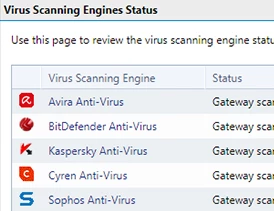
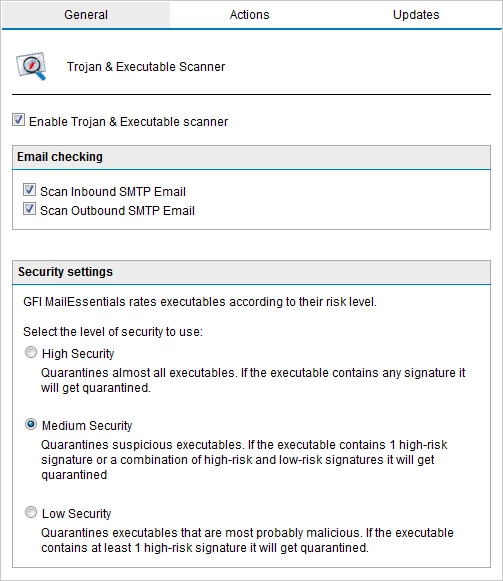
Get anti-virus, email content checking and anti-trojan protection for your mail server with the GFI MailDefense Suite. GFI MailSecurity™ for Exchange/SMTP is an email content checking, exploit detection, threats analysis and anti-virus solution that removes all types of email-borne threats before they can affect your email users.

Support for Virtual Environments
Organisations that are currently using or plan to use virtualisation on their network can still install and use a range of GFI products with confidence. GFI MailEssentials supports and runs on the most common virtualisation technologies in use, namely VMware, Microsoft Virtual Server and Microsoft Hyper-V.

Other Features:

  • Whitelisting of emails by keyword
  • Blocking foreign language spam based on character set
  • Email monitoring of particular user or department email communications
  • Fake non-delivery reports (NDRs)
  • Personalised server-based auto replies with tracking number
  • POP3 downloader
  • Web interface for searching email archive

Video

GFI-Software
UID 3365048 | US | 38.107.191.98 | Site 2 | © Copyright 2010 PNLTools Limited